
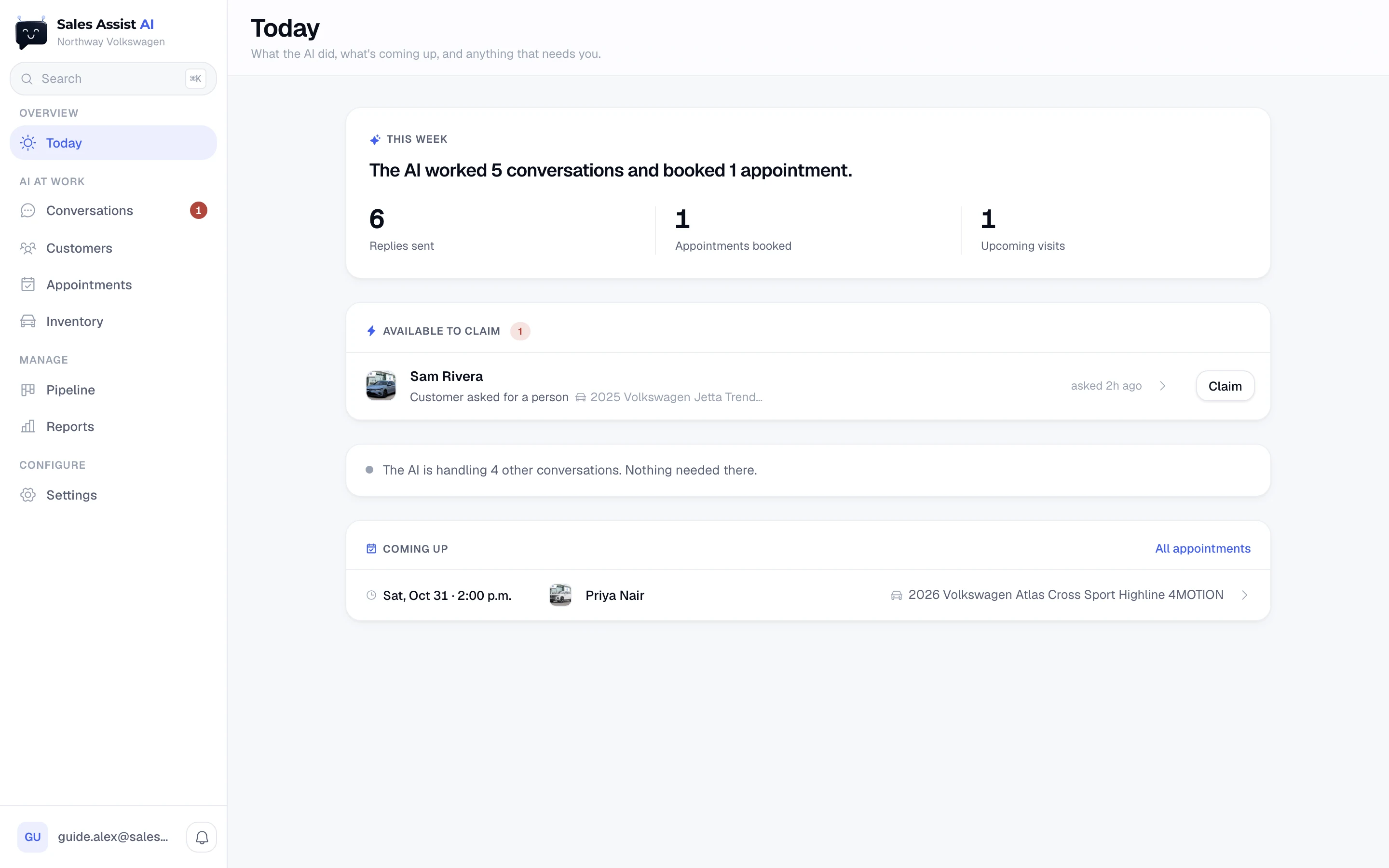
Today
The home screen reads top to bottom: what the AI did this week, every lead waiting on a person, then the visits coming up. A quiet day makes a short screen.
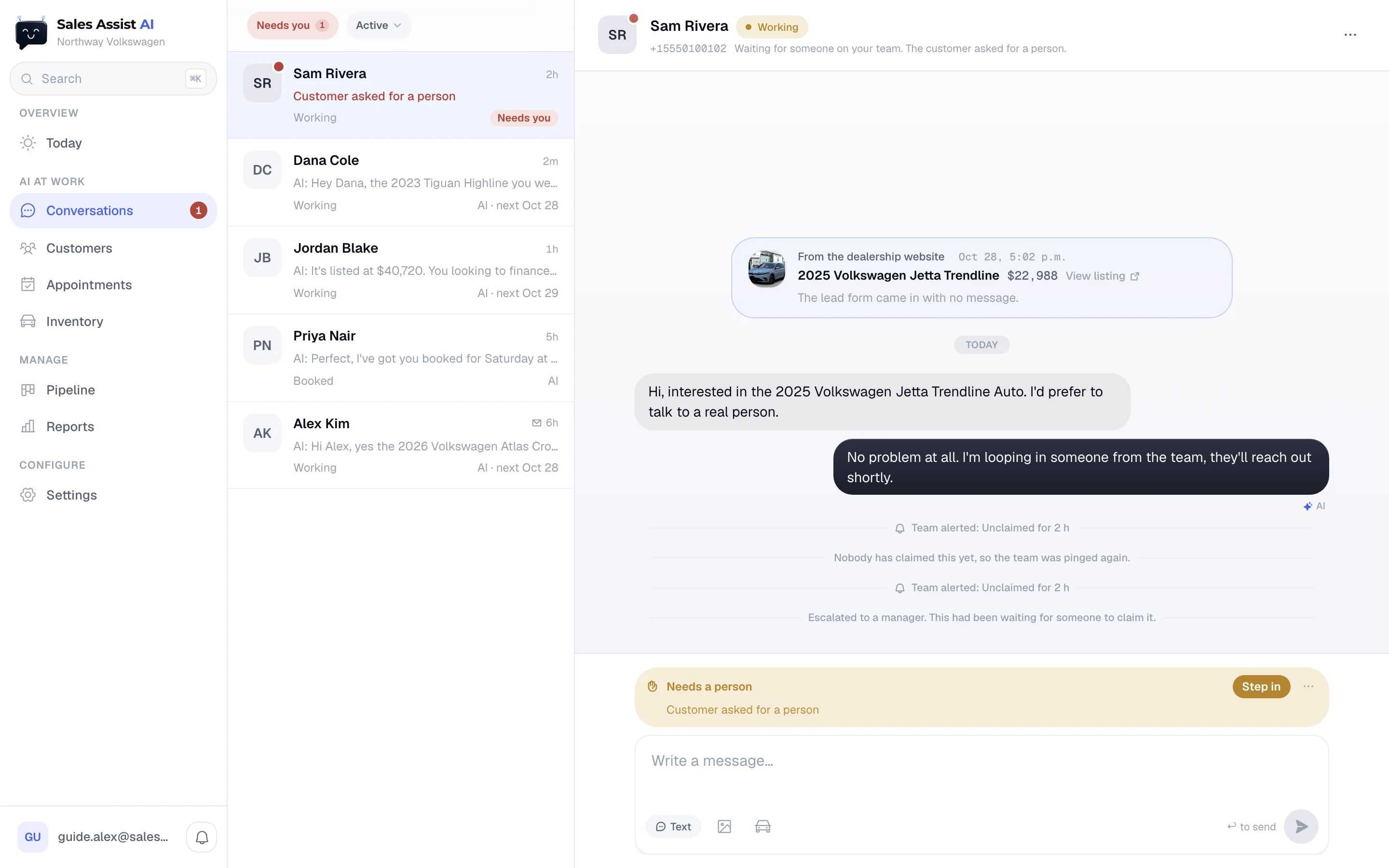
Conversations
Every thread, like a mail app. The filters answer one question: whose turn is it? Type a reply and the AI steps back on that thread. Hand it back when you are done.
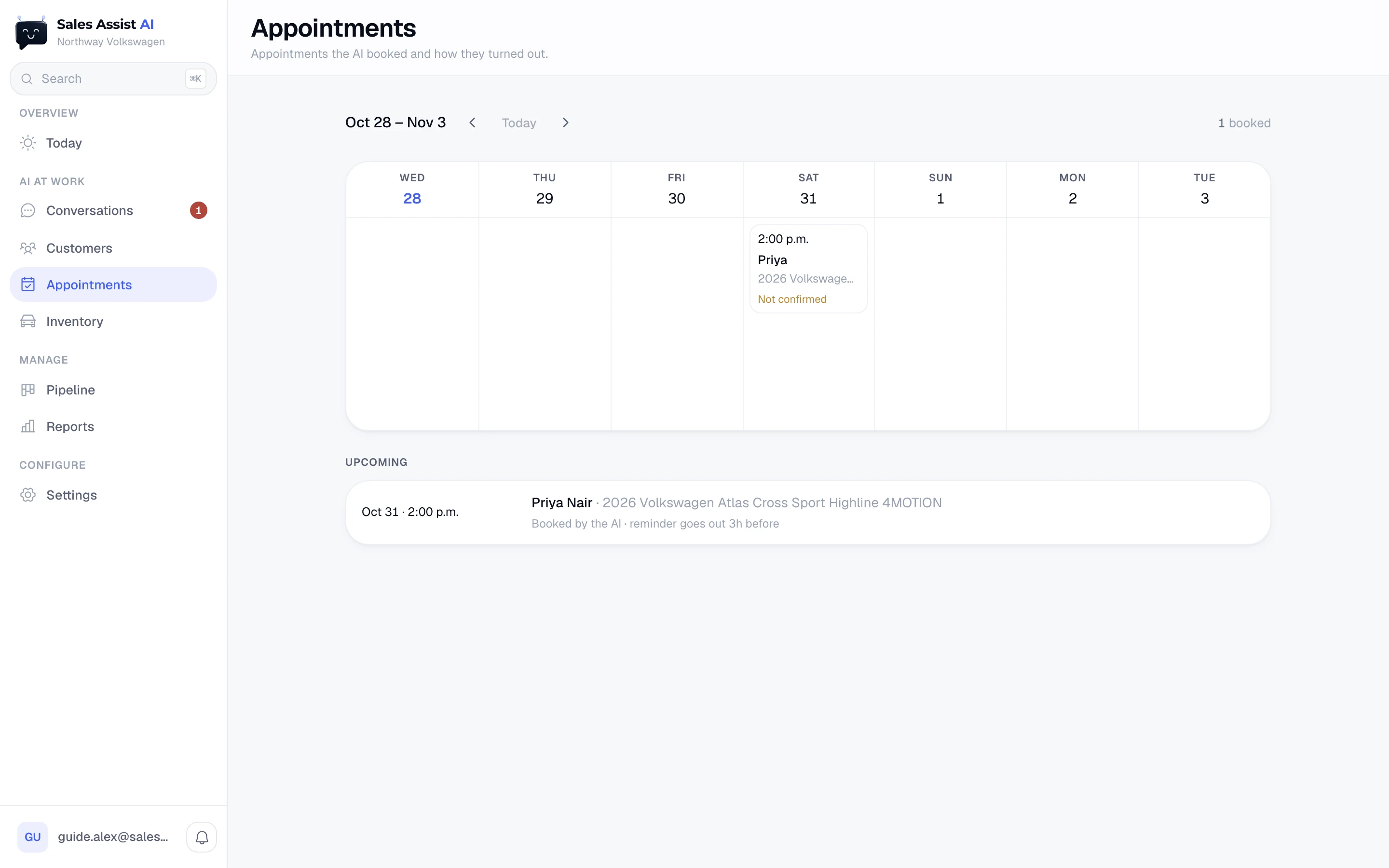
Appointments
The visits the AI booked, a week at a time, each with its car and whether the buyer confirmed. After a visit, your team marks it Sold, Came in or No-show, and the follow-up changes with the answer.
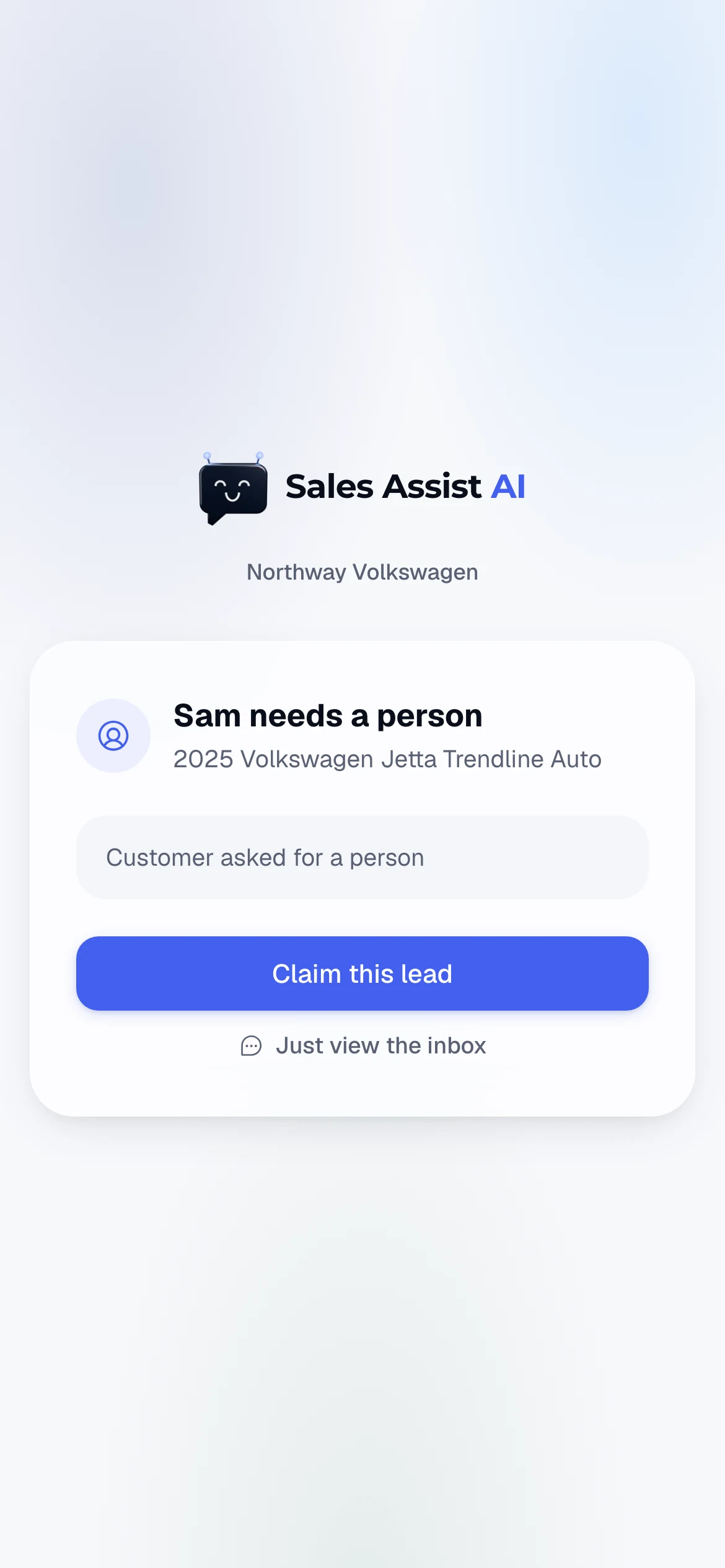
Pulled in from your pocket
When a buyer needs a person, every alert lands three ways: the bell in the app, a text and an email. Tap the text and you get one screen with one decision: claim this lead. If nobody claims it, a manager hears about it.
Everyone sees what they need
Salespeople
Today, conversations, customers and appointments. A new lead shows as a locked card until someone claims it.
Managers
Everything a salesperson sees, plus inventory, the pipeline and reports. They can reassign leads.
Dealer admin
Everything, plus settings: the AI assistant's name and signature, store hours, booking rules, contact hours and the team.
Every screen is explained in the user guide. Read the user guide.